

Article Brief
Learn how small businesses can automate repetitive tasks, reduce errors, and free up time to focus on growth—without adding chaos or replacing people.
Running a small business already comes with enough moving parts. Invoices need approval, customers need replies, leads need follow-up, stock needs tracking, documents need filing, and someone still has to remember the automated business voicemail greeting. Charming? Maybe. Sustainable? Not really.
An automated business uses technology to handle repeatable tasks, connect systems, and reduce manual work. Done well, small business automation saves time, improves accuracy, and gives your team more room to focus on customers, sales, and better decisions.
The honest answer is simple: automation is not about replacing people. It is about removing the boring work that keeps good people stuck in admin mud. Your future self will thank you. Probably with fewer spreadsheets.
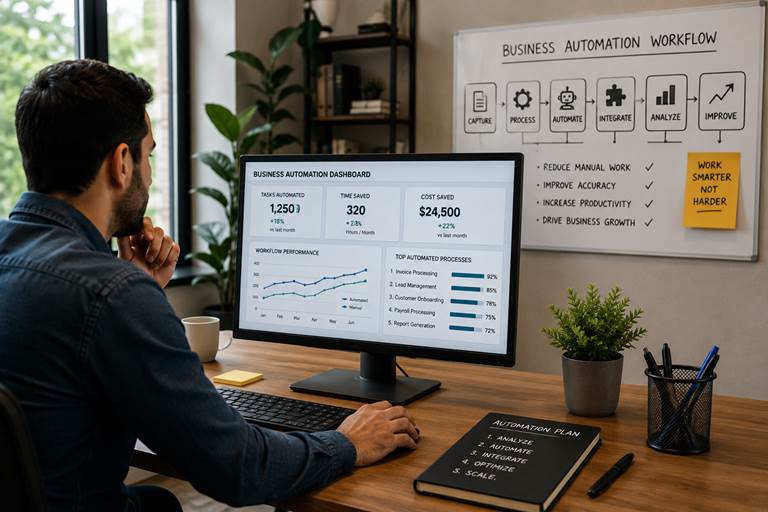
Image 1: A small business automation workspace where workflows, reports, and repeatable tasks are managed from one system.
The Problem: Most Small Businesses Are Busy, But Not Always Productive
Many small companies are not short on effort. They are short on systems. A client sends an email, someone copies details into a spreadsheet, another person updates the CRM, a third person sends a reminder, and by the time the work is done, nobody remembers who owns the next step.
That is where business automation workflow matters. In practice, this matters because growth makes manual work heavier. The same process that feels manageable with 20 customers becomes painful with 200.
A clear business process automation service can help connect lead capture, CRM updates, email follow-ups, document workflows, invoice approvals, reports, and customer communication. MoreTechGlobal’s work around CRM automation, AI workflows, websites, and software that convert fits this problem because the business need is not another random app. The need is a working system.
What Is an Automated Business?
An automated business uses software, integrations, and clear rules to complete repetitive tasks with less manual effort. This can include automated business mail services, CRM updates, invoice processing, appointment reminders, document routing, direct mail campaigns, inventory alerts, customer follow-ups, and reporting.
The goal is not to turn your company into a robot factory. The goal is to make the ordinary work happen reliably. A good automated business still needs human judgment, customer care, and leadership. It simply removes the repeated clicking, copying, checking, chasing, and “did anyone send that?” conversations.
| Manual Process | Automated Process | Why It Helps |
| Copy website leads into a spreadsheet | New leads go into CRM automatically | Less data entry and faster follow-up |
| Manually approve every invoice | AP workflow routes invoices to the right person | Cleaner finance control |
| Send the same onboarding email every time | System sends onboarding sequence after contract approval | Better client experience |
| Check stock manually | Inventory alerts trigger reorder tasks | Fewer stockouts and less guessing |
| Build reports from five tools | Dashboard pulls data automatically | Better decisions without spreadsheet archaeology |
Automated Business Examples That Actually Make Sense
Business automation examples should start with real pain, not shiny software. The mistake most people make is buying a tool before fixing the process. That is like buying a faster car before checking whether the road goes anywhere.
| Area | Business Process Automation Example | Best Fit |
| Sales and CRM | Lead capture, CRM updates, follow-up reminders, pipeline movement, quote follow-up | Service businesses, SaaS, agencies, consultants |
| Finance and AP | Invoice routing, approval reminders, recurring payments, expense checks | Small teams trying to reduce finance overhead |
| Procurement | Purchase requests, vendor approvals, order tracking, budget checks | Companies comparing the best procurement automation tools for businesses |
| Retail | Inventory updates, reorder alerts, customer messaging, loyalty flows | Retail business management automation |
| Professional services | Client onboarding, document collection, project handoffs, reporting | Professional services automation for small business |
| Ecommerce | Order processing, shipping updates, cart follow-up, inventory sync | Teams asking how to automate your ecommerce business |

Image 2: A team mapping an automated business ecosystem before choosing tools.
Small Business Automation: Where to Start First
You do not need to automate everything at once. Please do not. That is how simple systems become expensive puzzles with login screens.
A better approach is to start where automation gives the fastest relief: repetitive tasks, error-prone handoffs, slow approvals, missed follow-ups, and reports that take too long to prepare.
Rippling’s small business automation guide says small business owners can spend up to 16 hours per week on repetitive administrative tasks. Whether your number is higher or lower, the lesson is practical: time spent repeating admin work is time not spent improving the business.
MoreTechGlobal’s growth systems built end-to-end approach is useful here because its process starts with strategy and architecture before build and automation. That order matters. Automating the wrong thing quickly is still the wrong thing.
The Best First Workflows to Automate
- Lead capture from website forms into CRM
- CRM task creation when a lead changes stage
- Automated business mail services for customer notifications
- Automated direct mail platforms small business campaigns, when offline outreach is part of the funnel
- Invoice approval and AP routing
- Client onboarding document collection
- Automated attendant phone system small business call routing
- Automated business voicemail greeting updates for holidays or campaigns
- Ecommerce order status and inventory alerts
- Monthly reporting and KPI dashboards
Business Automation Workflow: The Simple 6-Step Model
A useful business automation workflow is not complicated. It usually follows six steps:
| Workflow Step | What Happens |
| 1. Trigger | Something starts the workflow: a form submission, invoice upload, order, call, email, or calendar event. |
| 2. Capture | The system collects the needed data and stores it in the right place. |
| 3. Validate | Rules check whether the information is complete, correct, and ready for the next step. |
| 4. Route | The workflow assigns the task, sends the email, updates the CRM, or alerts the right person. |
| 5. Track | The system records what happened so nothing depends on memory. |
| 6. Improve | Reports show bottlenecks, errors, costs, and opportunities to optimize. |
For businesses that want a structured build rather than tool-hopping, MoreTechGlobal can support business process management workflow automation through CRM setup, custom integrations, AI workflows, reporting dashboards, and software development when off-the-shelf tools are not enough.
Finance, AP, and Procurement Automation
Finance is one of the best places to start because repetitive finance work gets expensive quietly. Invoice approval, expense tracking, procurement requests, vendor records, and payment reminders are not glamorous. They are also exactly where automation can save real time.
If you are comparing the best AP automation software for small business, look for invoice capture, approval routing, vendor management, payment tracking, audit history, and integrations with your accounting tool. If you are comparing the best procurement automation tools for businesses, check purchase request approvals, vendor comparison, budget controls, and reporting.
This is also where how small businesses can reduce finance overhead with automation becomes very practical. You reduce overhead by removing repeated data entry, cutting approval delays, preventing duplicate work, and giving managers a clean view of spend.

Image 3: Business automation planning for finance, lead management, reporting, and repetitive workflows.
Retail, Ecommerce, and Customer Communication Automation
Retail business management automation usually touches inventory, reorder alerts, customer communication, promotions, returns, and reporting. The same logic applies to ecommerce. If someone asks how to automate your ecommerce business, the first answer should be: connect orders, inventory, customer messages, shipping updates, and marketing follow-up.
MoreTechGlobal’s blog already explains why natural and sustainable brands need connected systems for products, inventory, retailer relationships, invoices, offers, customer leads, and reporting. That is a useful reminder: a website alone does not run the business.
For ecommerce and retail, automation should support the customer journey. An order confirmation is not just a message. It is part of trust. A stock alert is not just a notification. It prevents disappointed customers. A post-purchase follow-up is not just marketing. It can reduce support questions and increase repeat sales.
Professional Services Automation for Small Business
Professional services automation for small business is often about making delivery smoother. Think client onboarding, proposal follow-up, document collection, project tasks, meeting reminders, invoice triggers, and reporting.
A law firm, marketing agency, accountant, consultant, design studio, or IT service provider may not need a huge enterprise platform. They may need a clear CRM and sales system, simple document workflow automation, and automated reminders that keep client work moving.
Here is the honest part: clients rarely notice your internal workflow when it works. They notice when it does not. Smooth automation should feel boring in the best possible way.
Low Code Business Process Automation vs Custom Software
Low code business process automation is useful when you need to connect common tools quickly. Platforms like Zapier, Make, Microsoft Power Automate, n8n, and similar systems can help small teams automate tasks without building a full custom application.
Custom software makes more sense when your process is unique, your data model is complex, your tools do not integrate cleanly, or your team needs a central system instead of another patchwork setup.
MoreTechGlobal’s custom software when needed positioning fits this exact decision. Start simple where possible. Build custom only where the business case is strong. You do not need to overcomplicate this.
| Option | Use It When | Watch Out For |
| Low-code automation | You need fast workflows between common tools | Can become messy if nobody documents it |
| RPA | You need robotic process automation business case support for repetitive screen-based tasks | Fragile if interfaces change often |
| Custom software | You need scalable architecture, API integrations, or industry-specific workflows | Needs proper planning and maintenance |
| Hybrid approach | You want quick wins now and stronger systems later | Requires a clear roadmap |

Image 4: A business process automation workshop where teams identify, map, automate, monitor, and measure workflows.
Business Process Automation ROI: How to Think About the Numbers
Business process automation ROI is not only about software cost. It is about time saved, errors avoided, revenue captured faster, customer experience improved, and fewer tasks falling between the cracks.
A small n8n workflow automation case study on arXiv found a lead-processing workflow reduced average execution time from 185.35 seconds manually to 1.23 seconds automatically, with manual execution showing a 5% error rate and automated execution showing zero observed errors in the test. One case study is not universal proof, but it shows why repetitive workflows are worth measuring.
The practical ROI formula is simple:
Automation ROI = (Time saved + cost avoided + extra revenue − automation cost) ÷ automation cost
What to Measure Before You Automate
- Hours spent on the task each week
- Number of people involved
- Average delay between handoffs
- Error rate or rework rate
- Revenue lost from slow follow-up
- Customer complaints or support tickets
- Software, consultant, and training costs
- Time to maintain the automation
Disadvantages of Business Process Automation
Automation has disadvantages when used badly. This is where many blogs lose readers because they pretend automation is always clean and magical. It is not.
| Risk | Better Approach |
| Automating a broken process | Fix the workflow first, then automate it. |
| Too many tools | Choose tools that integrate and document what each one does. |
| No owner | Assign one person to maintain the workflow and monitor failures. |
| Poor data quality | Clean fields, naming rules, and required inputs before launch. |
| No ROI tracking | Measure before and after so you know what improved. |
| Removing humans too aggressively | Use automation to support decisions, not hide responsibility. |
Specialized Automation Examples
Some keywords sound oddly specific because real businesses have oddly specific problems. That is normal. A growth system should fit the business, not force every company into the same template.
| Use Case | How Automation Helps |
| Automate website identification business broker M&A advisor Python | A Python workflow can identify company websites, enrich business records, and send qualified opportunities into a CRM for review. |
| Bozeman business automation | A local service provider can automate calls, appointment reminders, invoicing, reviews, and follow-ups without needing enterprise software. |
| Automated business machines | Modern automation is no longer just physical office machines; it includes connected software, data workflows, AI support, and reporting. |
| Automated businesses to invest in | Investors should look for companies with documented processes, strong margins, repeatable fulfillment, and low manual dependency. |
| Business automation workflow knowledge center | A shared documentation hub helps teams understand how workflows run, who owns them, and what to do when something breaks. |
| Business automation workflow documentation | Documenting triggers, rules, exceptions, owners, and tools prevents automation from becoming a mystery box. |
Business Process Automation Case Study: A Simple Before-and-After
Imagine a small B2B service company. New leads arrive from the website, referrals, and email. The owner replies when possible, the sales person tracks follow-up in a spreadsheet, and proposals sit in inboxes. Nobody is careless. The system is just too manual.
The company builds a simple automation workflow: form submissions enter the CRM, qualified leads trigger a follow-up task, proposal reminders are scheduled, documents are stored automatically, and a weekly dashboard shows open opportunities.
The result is not a flashy transformation story with fireworks. It is better: fewer missed leads, cleaner ownership, faster follow-up, and better visibility. This is what business process automation case studies usually show when they are honest. The big win is consistency.
How to Choose Business Process Automation Companies
The best business process automation companies do not begin by selling tools. They begin by asking how the business works. A good business automation consultant should map your process, identify bottlenecks, show what should not be automated yet, and build the smallest reliable system that solves the problem.
Business automation consultants should also explain what happens after launch. Workflows need testing, documentation, reporting, and improvement. A tool implementation without ownership is just a very expensive shrug.
MoreTechGlobal fits naturally here because it combines business strategy, CRM automation, AI workflows, software development, reporting, and performance optimization. The company’s homepage describes a simple, measurable, repeatable system from strategy and architecture to build, launch, optimize, and scale.

Image 5: Automation ROI and business intelligence review focused on measurable workflow improvements.
Why MoreTechGlobal Fits the Automated Business Conversation
MoreTechGlobal is not positioned as a company that simply installs software and disappears. Its services focus on growth systems, CRM automation, AI workflows, email nurture, reporting, custom development, and optimization. That is the right shape for companies that want business growth automation without turning operations into a tool graveyard.
For a small business, the useful path might begin with a strategy call to map the workflow and identify the highest-value automation. For a growing company, it might involve CRM + sales automation, AI agents and workflows, reporting and optimization, or custom software development.
For founders, retailers, service businesses, SaaS companies, logistics teams, educators, and professional service firms, the goal is the same: build systems that make the work easier to repeat, easier to measure, and easier to improve.
A Simple Automation Roadmap
| Timeline | Action |
| Week 1 | List repetitive tasks and choose one painful workflow. |
| Week 2 | Document the current process, decision points, tools, and owners. |
| Week 3 | Choose the tool or build approach. Keep it simple. |
| Week 4 | Build the workflow, test with real examples, and run beside the manual process. |
| Week 5 | Launch, train the team, and document the workflow. |
| Week 6+ | Measure results, fix weak points, and expand carefully. |
FAQ
What is an automated business?
An automated business uses software, workflows, integrations, and sometimes AI to handle repetitive tasks with less manual effort. The goal is more consistency, fewer errors, and better use of people’s time.
What is small business automation?
Small business automation is the use of tools to automate repeatable work such as lead follow-up, invoicing, appointment reminders, customer emails, reporting, inventory updates, and document collection.
What are examples of business process automation?
Common business process automation examples include invoice approval, CRM task creation, client onboarding, procurement requests, ecommerce order updates, document routing, and automated reports.
What are the disadvantages of business process automation?
The main disadvantages are automating broken processes, tool overload, poor data quality, weak documentation, and lack of ROI tracking. These problems are avoidable with planning and testing.
How do I calculate business process automation ROI?
Compare the value of time saved, errors reduced, revenue captured, and costs avoided against software, setup, consulting, training, and maintenance costs.
Should I hire a business automation consultant?
A business automation consultant is useful when your process touches multiple tools, departments, or data sources. A good consultant maps the workflow first and recommends the simplest reliable system.
What is low code business process automation?
Low code business process automation uses visual builders and prebuilt integrations to create workflows without heavy custom development. It is useful for quick wins and common business tasks.
Can ecommerce businesses be automated?
Yes. Ecommerce automation can handle order processing, inventory updates, abandoned cart follow-up, shipping notifications, customer segmentation, review requests, and reporting.
What is the difference between business process automation and robotic process automation?
Business process automation improves an end-to-end workflow. Robotic process automation usually automates repetitive screen-based tasks, such as copying information between systems.
Where should a small business start with automation?
Start with one repetitive, high-impact workflow. Document it, measure the current baseline, automate it carefully, test it, train the team, then expand.
Soft Next Step
Building an automated business does not require a giant transformation project. Start with one workflow that wastes time, causes delays, or creates avoidable errors. Map it. Measure it. Improve it. Then automate it.
When the workflow touches CRM, AI, reporting, ecommerce, procurement, websites, or custom software, MoreTechGlobal’s AI-powered growth systems and automation services are a practical next step. The useful question is not “which tool should we buy?” It is “which system would make the business easier to run and easier to grow?”
People Also Read
To keep going, explore the remaining MoreTechGlobal blog content. These are the recent articles currently visible on the MoreTechGlobal blog:
- Why Leads Go Cold: The Follow-Up System Most Growing Companies Forget to Build
- Why Swedish Sustainable Brands Need a Connected Digital Growth System
- Business Management Software for Natural Brands: Why Sustainable Businesses Need More Than a Website
- Growth Systems: How to Build a B2B Lead Generation Machine That Actually Converts
- CRM vs Marketing Automation: Build the Workflow That Turns Leads Into Customers
Related reading
This is exactly what we build for you.
MoreTech turns the ideas in this article into a working system for your business — lead capture, instant follow-up, and automation that runs itself.
People Also Read

2 September 2026
AI Follow-Up Automation: Faster Follow-Up Without Sounding Robotic
AI Follow‑Up Automation: Faster Outreach Without the Robot Voice When a Swedish VVS contractor answe...
Read article
2 September 2026
AI Sales Agent vs Human SDR: Where Does Each One Win?
AI Sales Agent vs Human SDR: Where Each One Wins When a Swedish VVS contractor receives an inbound c...
Read article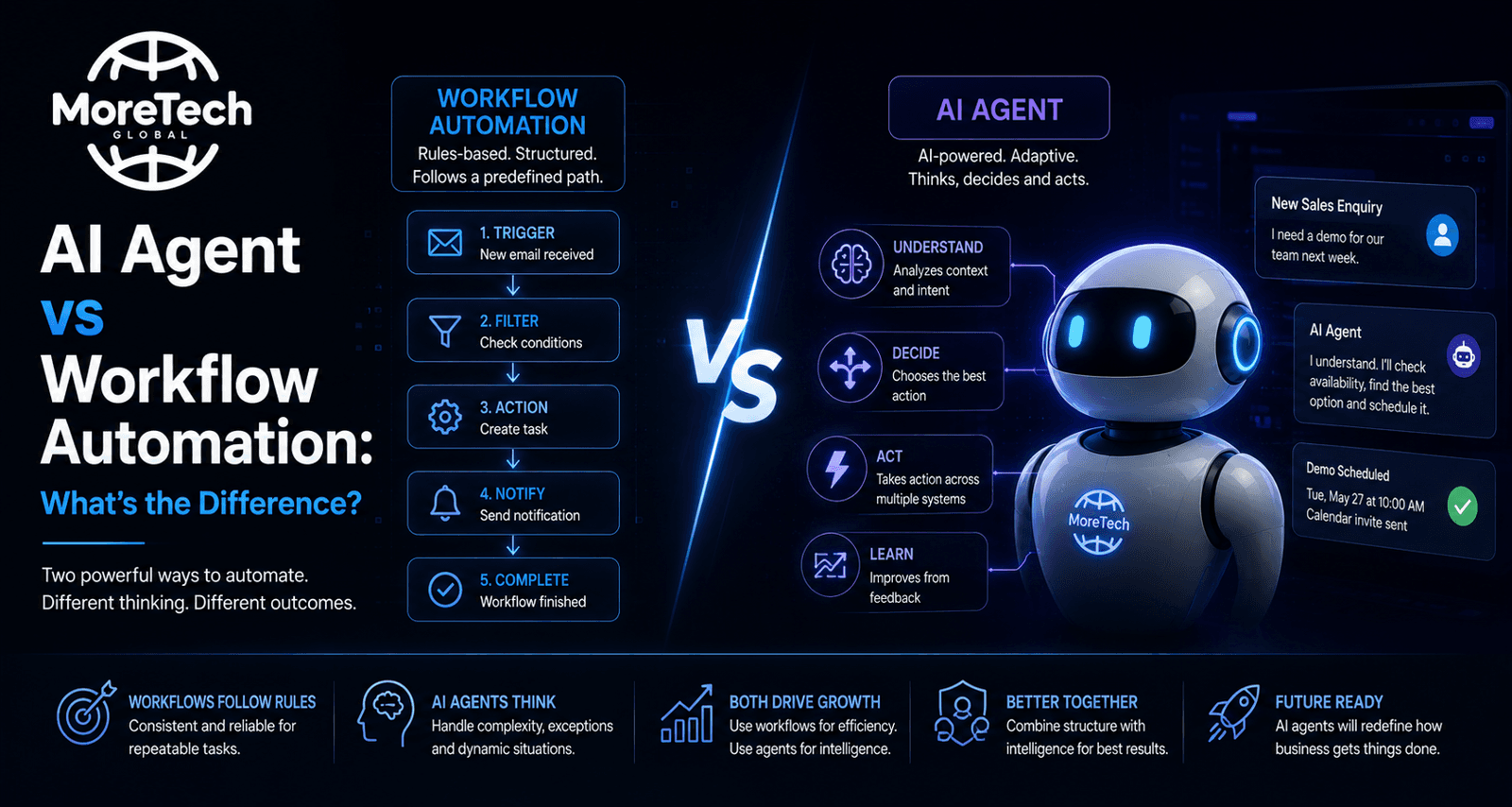
1 September 2026
AI Agent vs Workflow Automation: What's the Difference?
AI Agent vs Workflow Automation: What Small VVS Contractors Should Know When a Swedish plumbing inst...
Read article